Sidebar


Question XM110 Bump mapping problem
- scott762@gmail.com
-
 Topic Author
- Offline
- Fresh Boarder
-

- Posts: 9
- Thank you received: 1
scott762@gmail.com created the topic: XM110 Bump mapping problem
I purchased the XM110 among others, but when rendering in Poser 2012 SR3 or Poser 2014 SR2 the scope, silencer, and stand look like someone has been hammering railroad spikes all day long or something with it. It's applied to the glass too, which obviously should be smooth. Actually, you can see the bumpiness with the rails too. If I cut down the displacement distances, it kills the other surfaces making them all washed out.
forender.com/market/all-categories/real-...es/product/568-xm110
Halp!
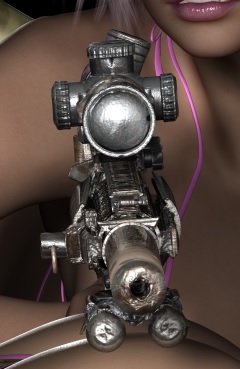
forender.com/market/all-categories/real-...es/product/568-xm110
Halp!
Last edit: 13 years 3 months ago by scott762@gmail.com. Reason: Forgot to mention glass
- wartech
-

- Away
- Administrator
-

- Posts: 941
- Thank you received: 184
wartech replied the topic: XM110 Bump mapping problem
Hi!
I update specular map now less light ))) take a look. (Just redownload archive)
(First render before,second after) )
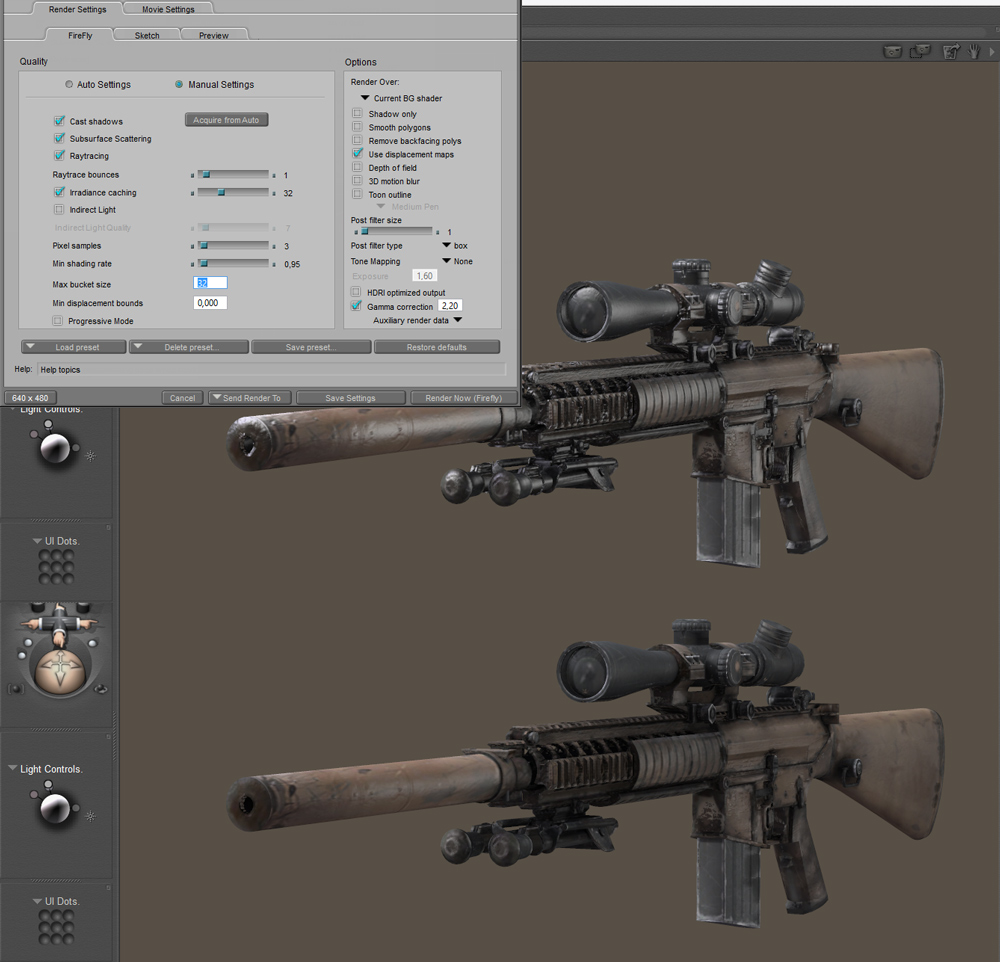
I update specular map now less light ))) take a look. (Just redownload archive)
(First render before,second after) )
Last edit: 13 years 3 months ago by wartech.
- scott762@gmail.com
-
Topic Author
- Offline
- Fresh Boarder
-
- Posts: 9
- Thank you received: 1
scott762@gmail.com replied the topic: XM110 Bump mapping problem
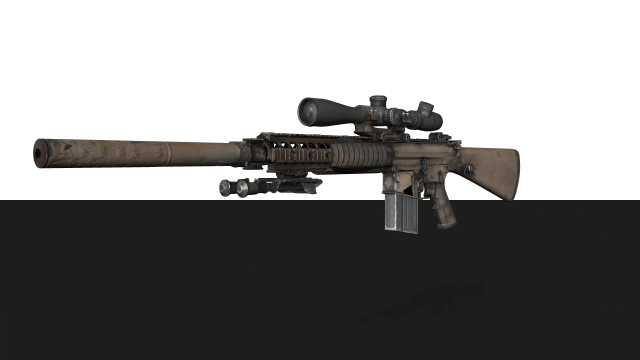
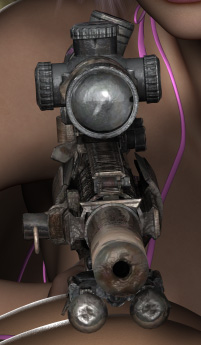
Weird, yours comes out better than mine, even using your render settings. The angle shot from the side is using your settings in PPro 2014 with SR2 installed. The shot from the front is at a much higher quality setting. Better, but still not that great. Not very good like your M4 or SCAR, those come out great at high render settings.
- wartech
-
- Away
- Administrator
-
- Posts: 941
- Thank you received: 184
wartech replied the topic: XM110 Bump mapping problem
Just lower bump and disp value )))
- scott762@gmail.com
-
Topic Author
- Offline
- Fresh Boarder
-
- Posts: 9
- Thank you received: 1
scott762@gmail.com replied the topic: XM110 Bump mapping problem
I tried that, but the scope had a flat, washed out look. However, that was with the old displacement map and I don't remember what if I changed both bump & displacement or just bump, and what I changed it to. Do you have any recommended settings? I'm looking for something that will be good in a high res render, like 3600x2700. That crop is actual pixels at 72dpi.
- wartech
-
- Away
- Administrator
-
- Posts: 941
- Thank you received: 184
wartech replied the topic: XM110 Bump mapping problem
Bump is not the same that displacement.... Fastest way to make disp is use Crazy Bump .....
Try to use this one... If you have a time you can fun with trial version, it have all features )))
Try to use this one... If you have a time you can fun with trial version, it have all features )))

Last edit: 13 years 2 months ago by wartech.
- scott762@gmail.com
-
Topic Author
- Offline
- Fresh Boarder
-
- Posts: 9
- Thank you received: 1
scott762@gmail.com replied the topic: XM110 Bump mapping problem
I'll have to try that one. What tool do you use for the texturing, bump and displacement maps? Do you use Crazy Bump for both Bump Maps and Displacement Maps? Do you have a version of the XM110 without the distressed look?
I'm a noob when it comes to 3D, but I do know bump - appearance of texture by modifying how light reflects of surface, displacement actually changes the mesh of the object.
Thanks!
I'm a noob when it comes to 3D, but I do know bump - appearance of texture by modifying how light reflects of surface, displacement actually changes the mesh of the object.
Thanks!
- wartech
-
- Away
- Administrator
-
- Posts: 941
- Thank you received: 184
wartech replied the topic: XM110 Bump mapping problem
Old project ... i will check, but think no...
Other then defuse texture usually Luxology Modo or ZBrush...
Other then defuse texture usually Luxology Modo or ZBrush...